
← Roles in AMS
Action effectiveness inspector
The inspector keeps track of their tasks via notifications and a calendar. Enters inspection results in a single click. Returns ineffective actions for rework.

01
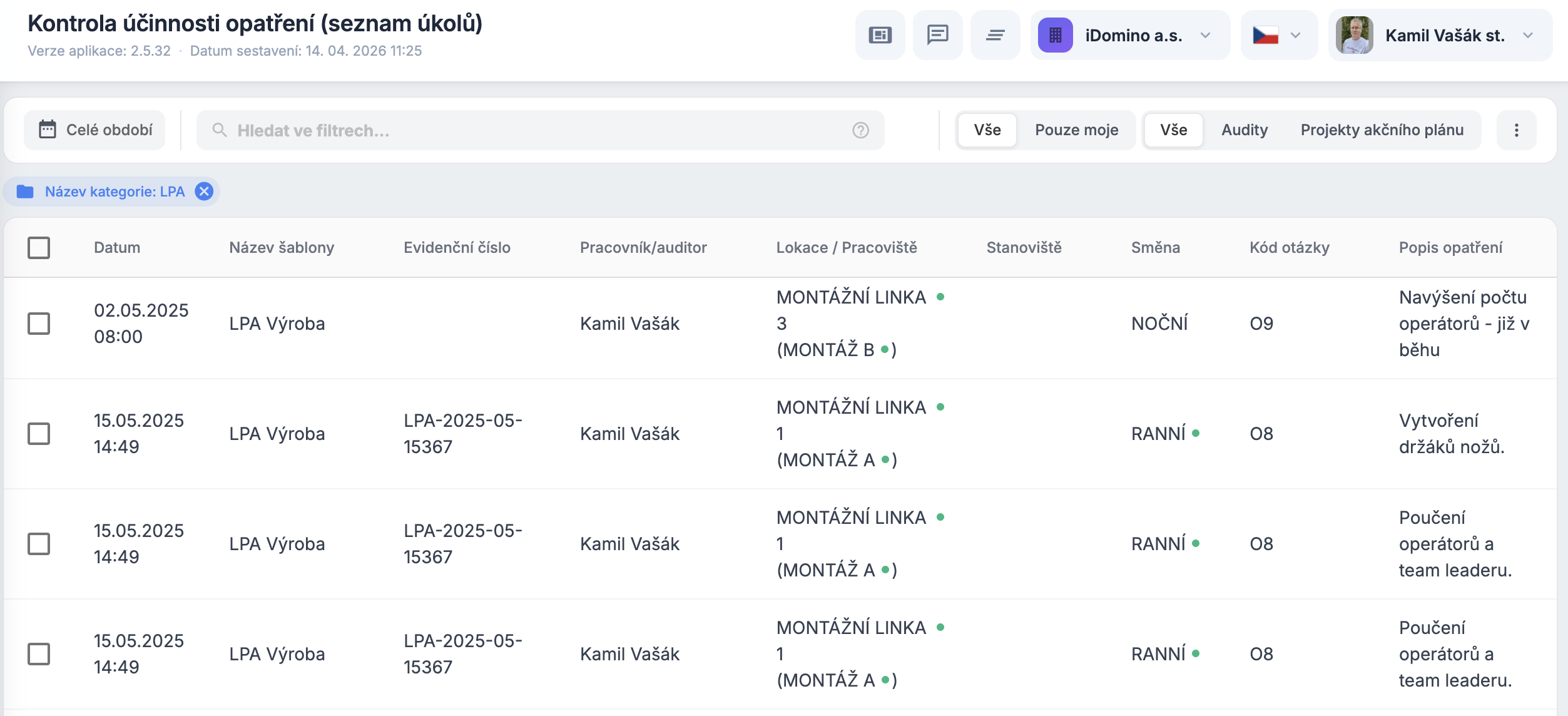
Personal task list and notifications
Notified of assigned tasks by e-mail. Tasks are in their personal list and in a calendar that syncs to Outlook.
02
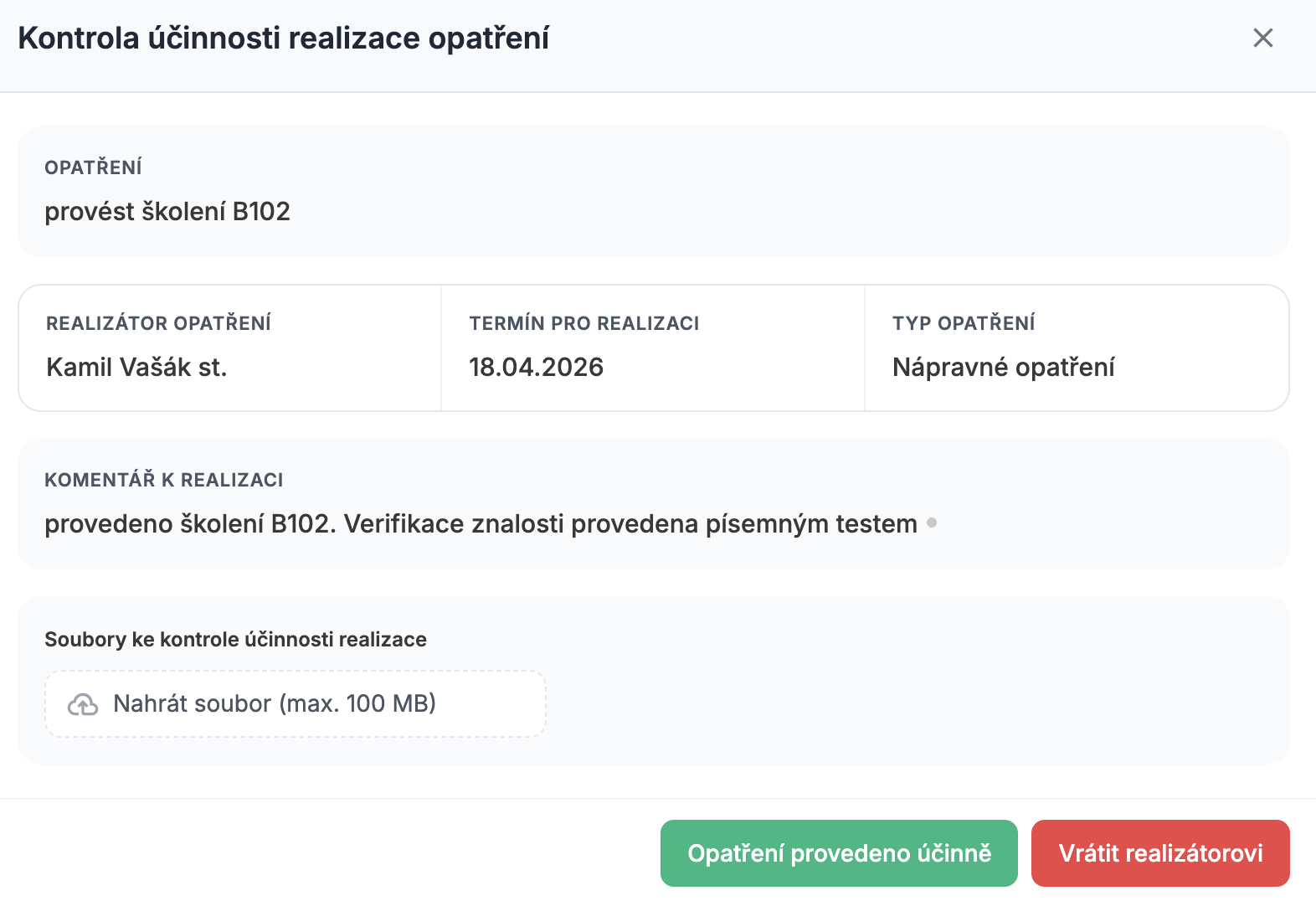
Entering inspection results
Enters the effectiveness check with a single button. Fast, clear, no needless admin.
03
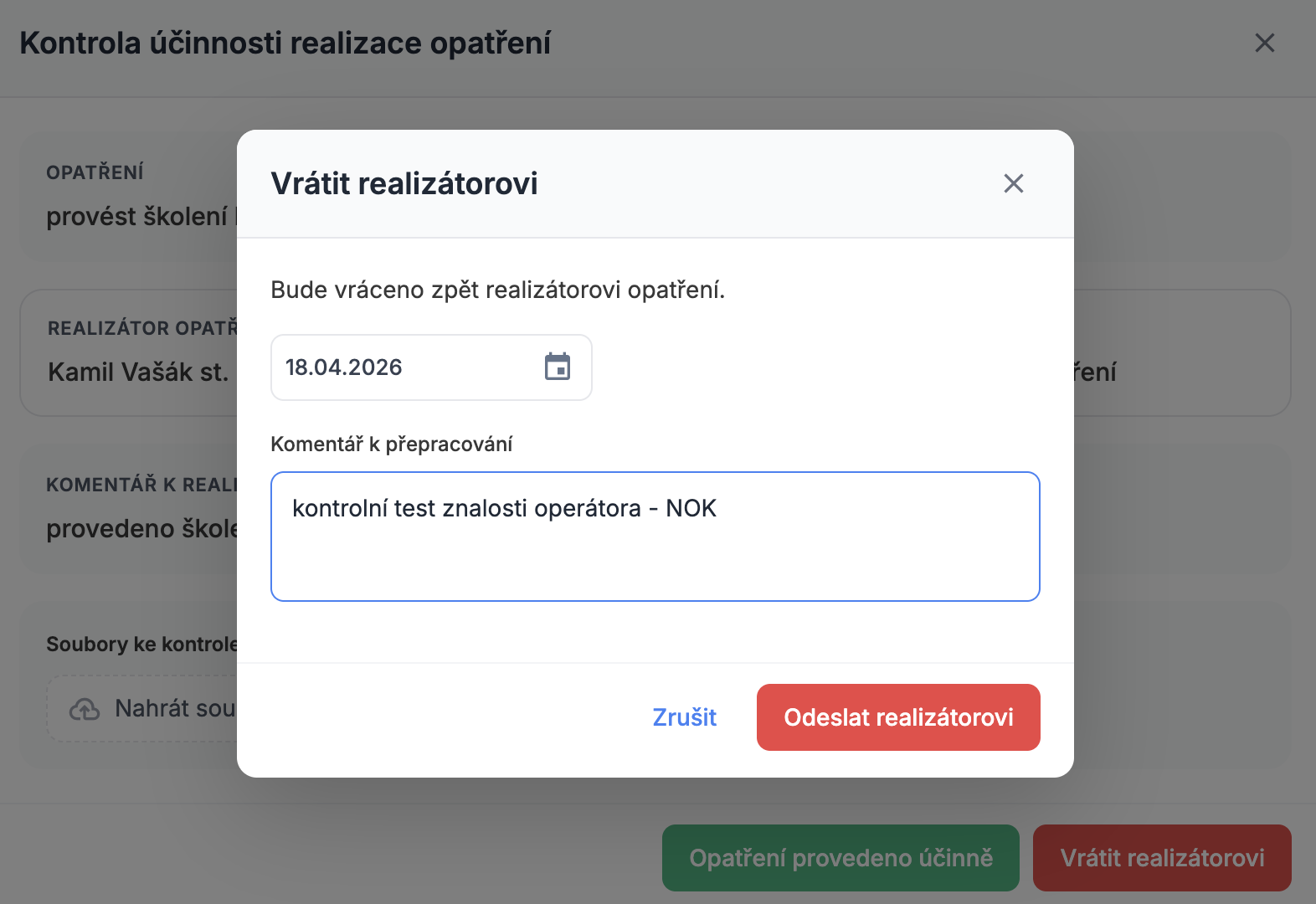
Returning an action for rework
If an action isn't effective, returns it to the implementer with a comment for rework. The closed loop ensures quality.
Digitize audits and product inspection
Get ahead in quality and efficiency.
kamil.vasak@idomino.cz · +420 724 135 735